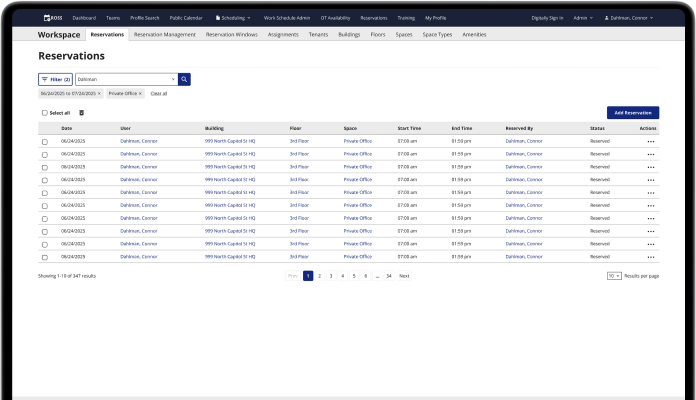
Helping a family business track projects more efficiently
TLDR
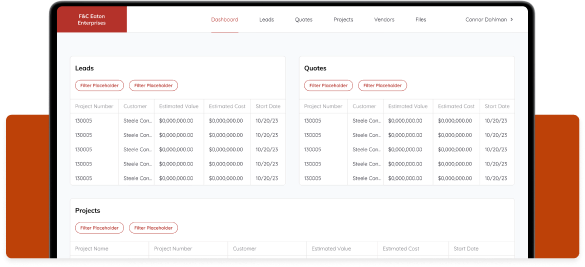
I designed a B2B tool that allows F&C Eaton employees to track and organize their ongoing projects, track purchases and inventory, and manage client information.
The folks at F&C Eaton needed help managing their projects
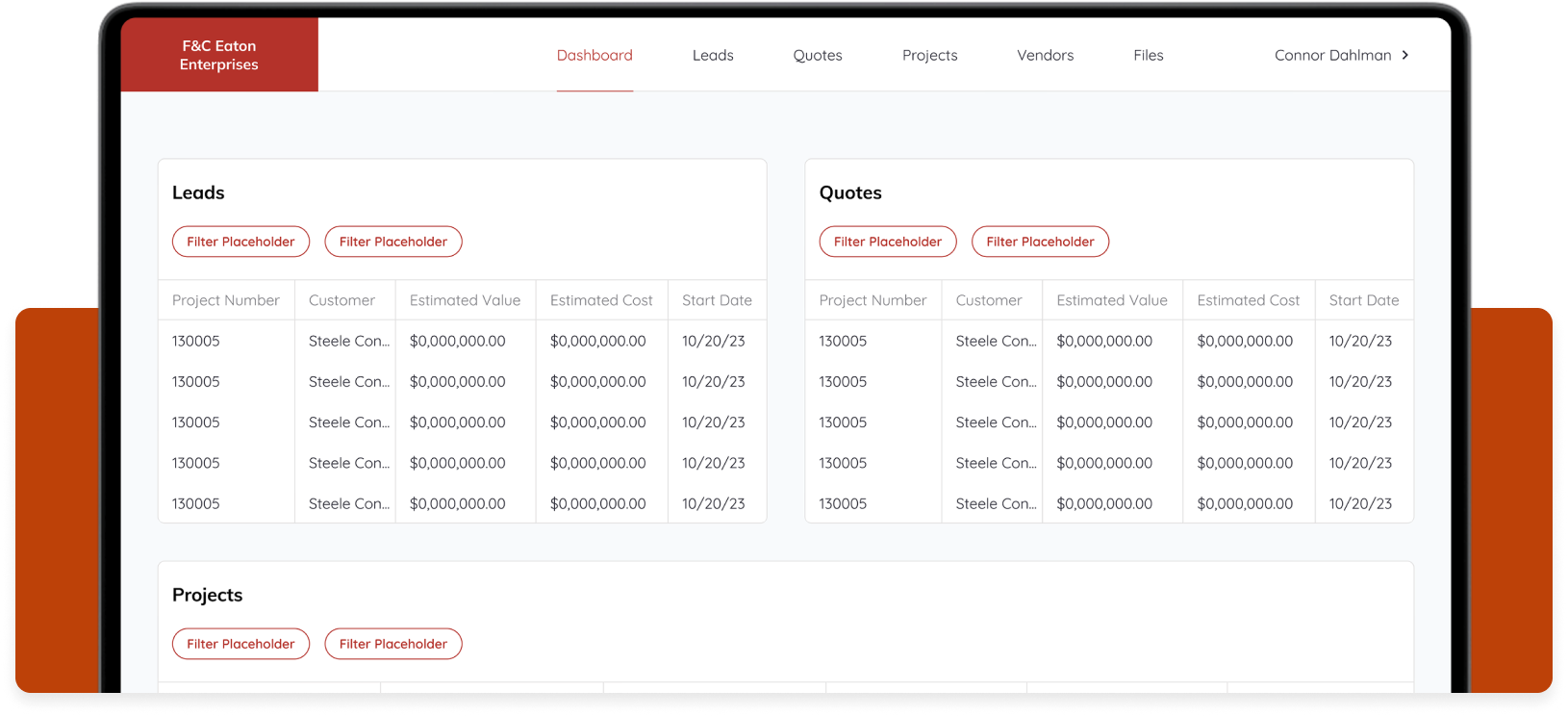
F&C Eaton needed a tool where they could track their projects, purchase orders, inventory, clients, and timelines. Before, they were filling out paper forms and using excel to track everything. My team at Steele designed and developed a B2B web app that allows F&C employees to track and manage their projects, clients, and vendors.
F&C Eaton’s work process was slow, and employees were spending too much time looking through, organizing, and updating project information in Excel. This new web app vastly increases employee efficiency when tracking and updating projects.
Project page
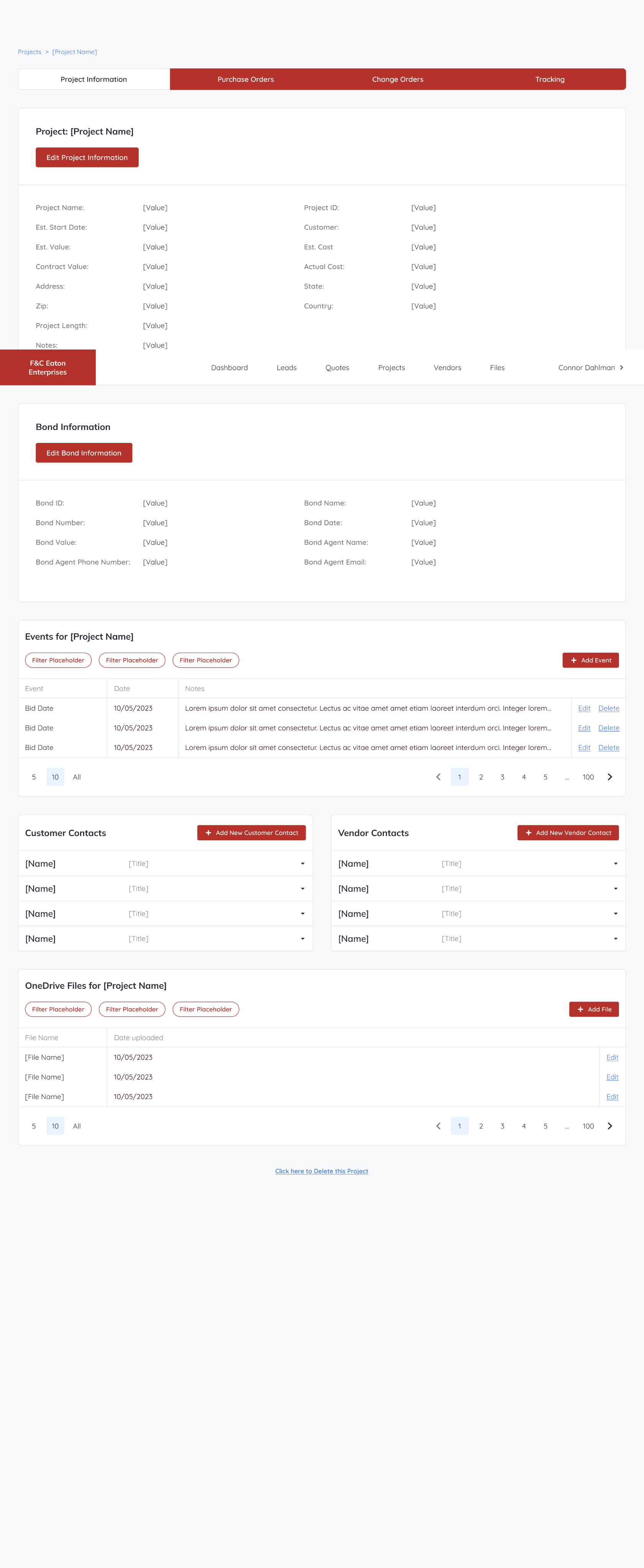
Wireframes 1, 2, & 3
By the time I joined the project, the developers had gathered basic information from the client, and I was told they wanted a way to store projects they’ve worked on in a sort of database. I later found out they needed to track their projects through the entire project life cycle, but my first wireframes were based on the idea that they just wanted to store projects online.
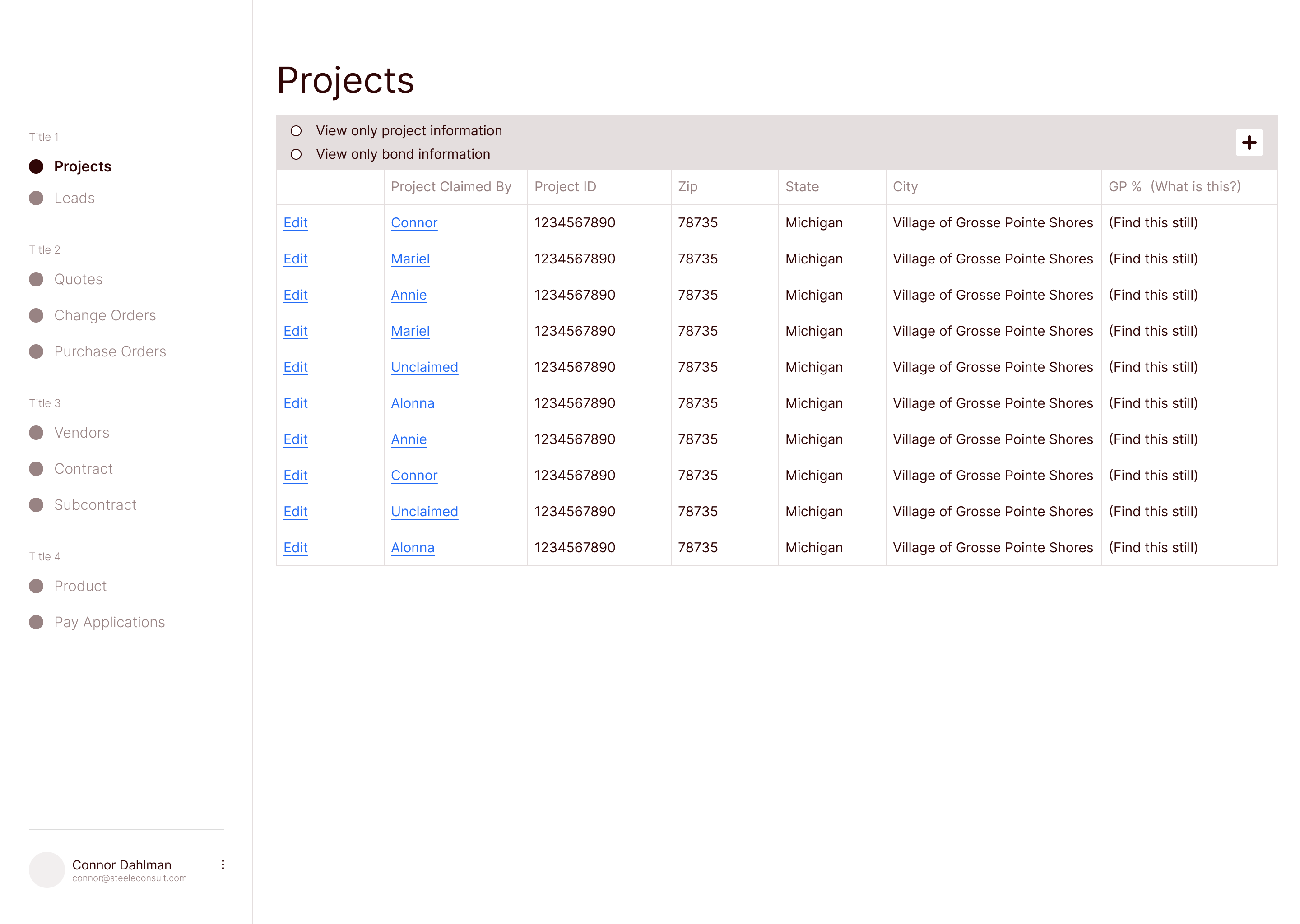
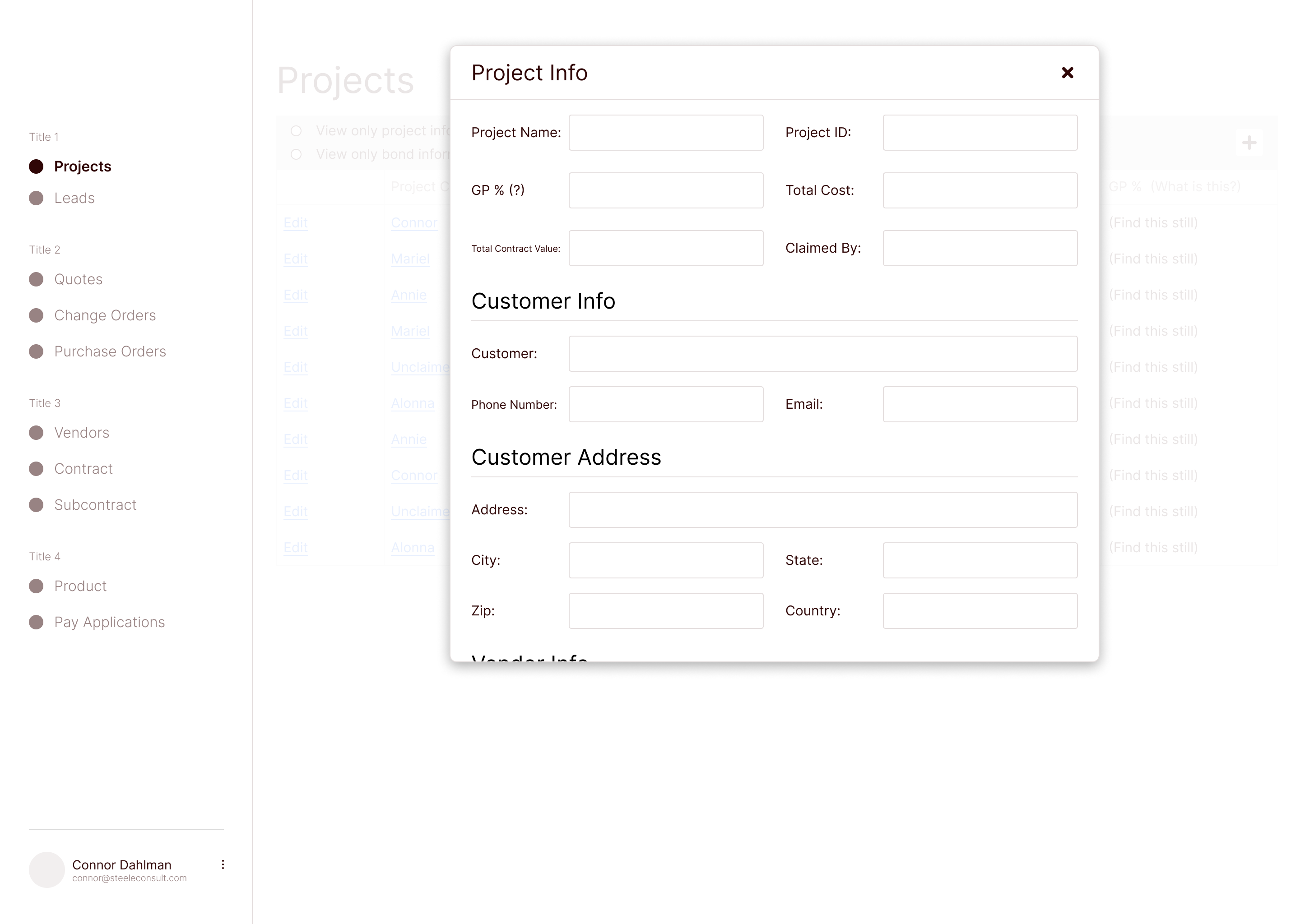
I initially designed a basic table-based UI that would allow them to add and edit projects at different states in the process. I presented this version of the designs to gather feedback and take suggestions for future iterations.
Simple table that shows ongoing projects
Adding a new project
The first stakeholder presentation
After sharing the first iteration of wireframes with the F&C team, they thought a lot was missing. They were expecting there to be more of a flow. They wanted to start each project as a Lead, then convert it to a Quote, and then convert it to a Project. They also needed to be able to add new data as the project progressed.
On the Steele side, I used this opportunity to clarify many of the terms used by the F&C team. They had their own way of describing their projects and process, and they wanted that terminology used in the design.
Now, with a better understanding of the lingo, I completely changed the design by creating a flow that allows projects to move from state to state, with info that can be updated as the project moves along.
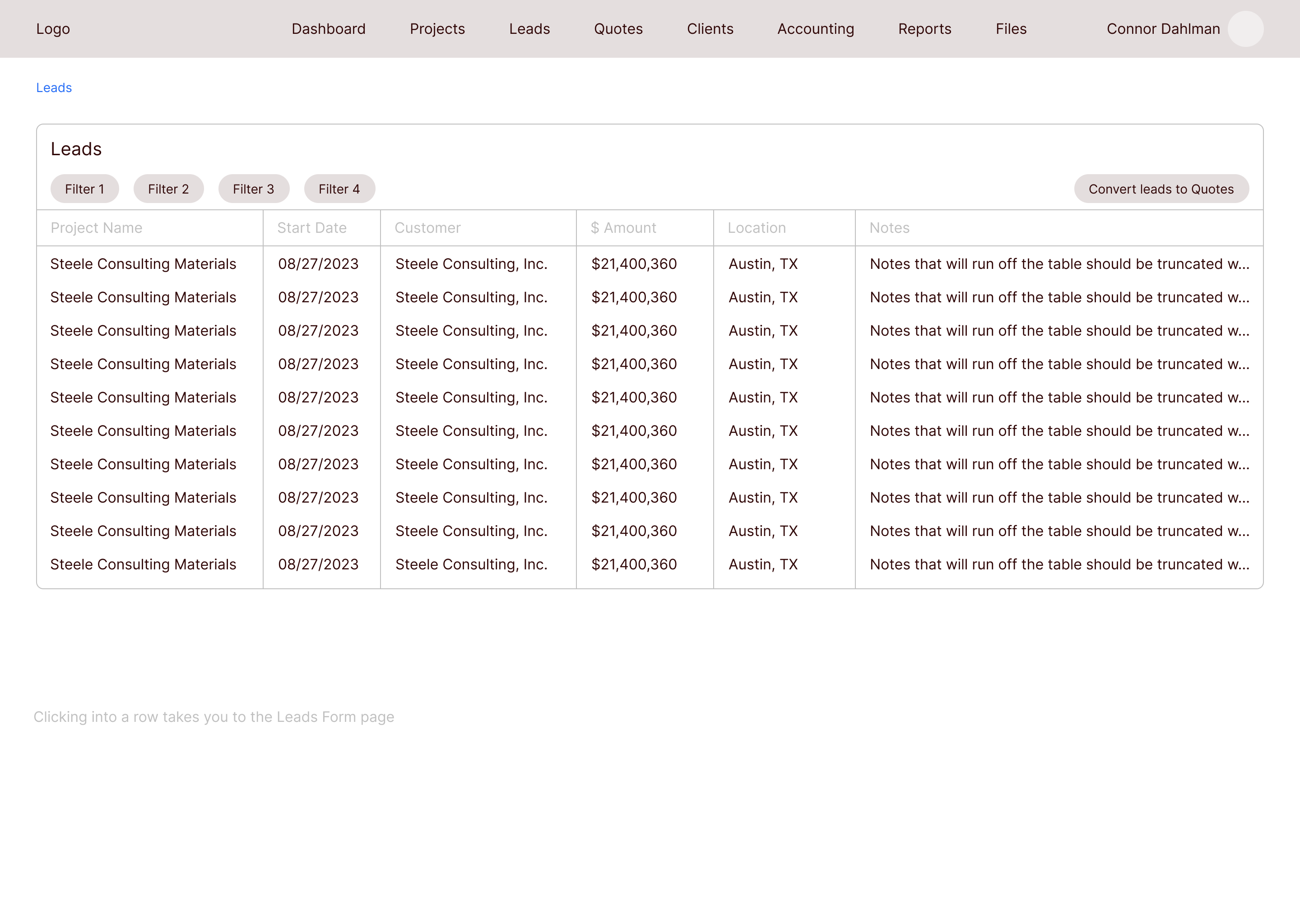
Leads
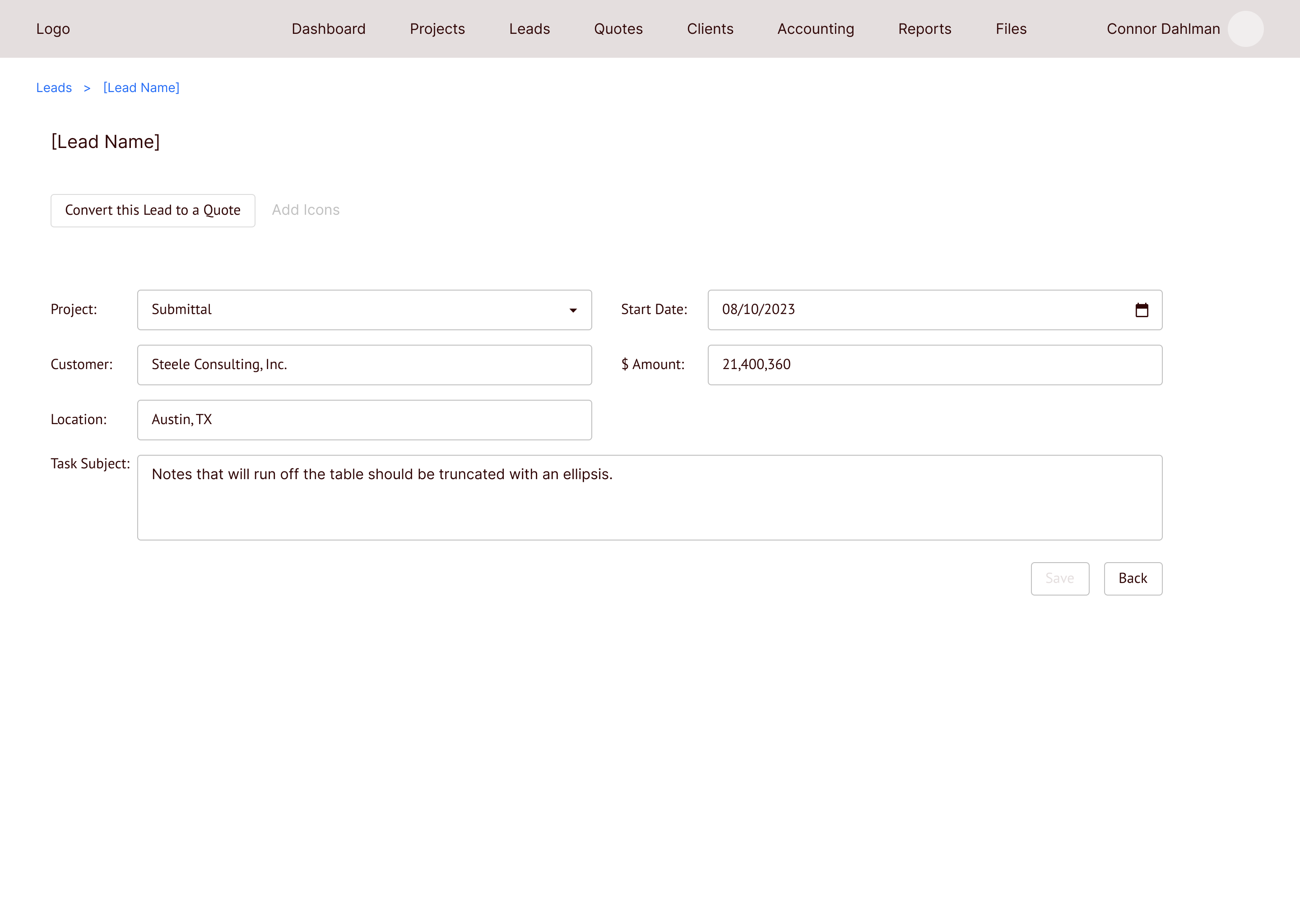
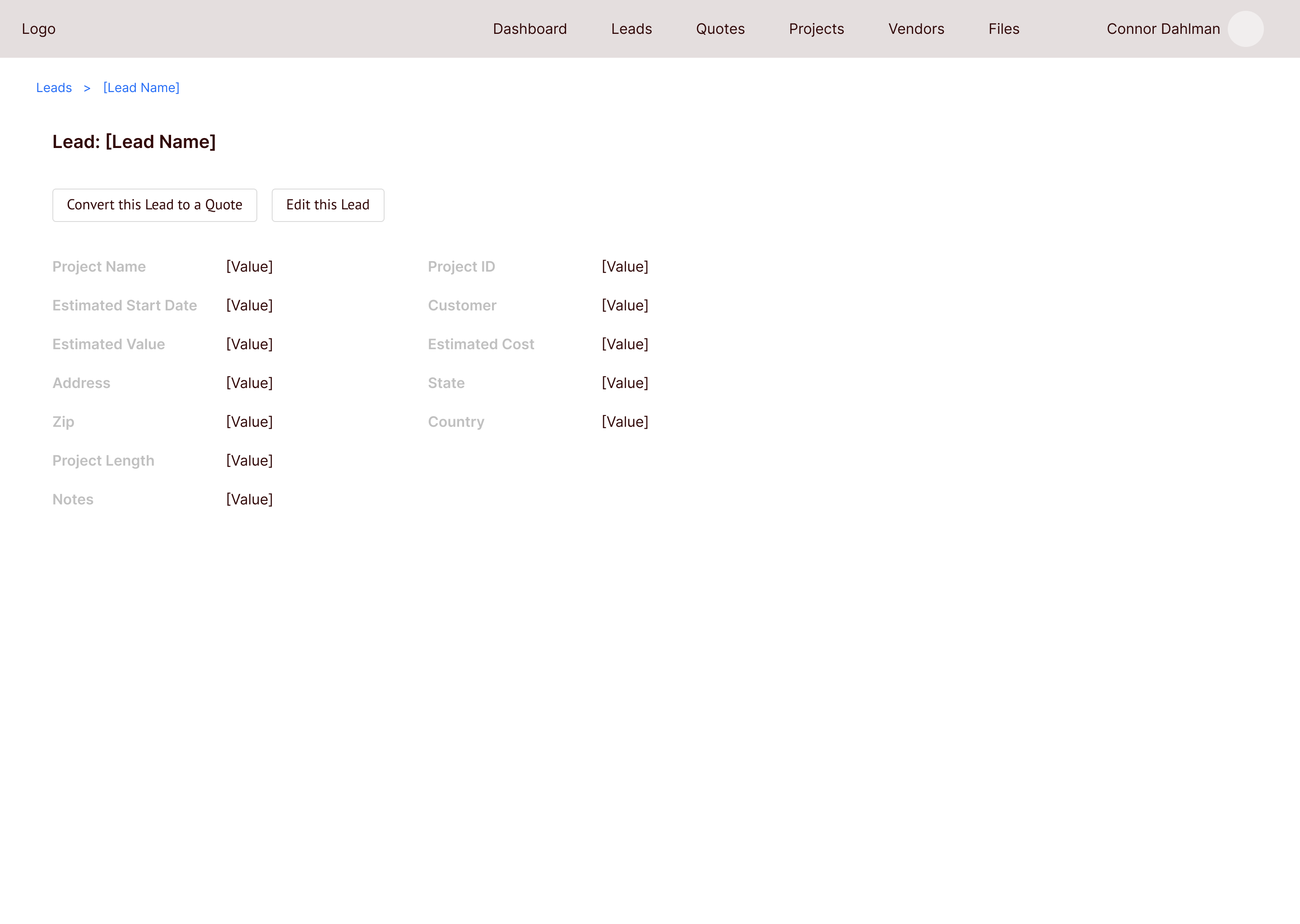
F&C Eaton starts each of their projects as a Lead, which contains information about a potential client. When that client wants to move forward with F&C’s services, the Lead is converted to a Quote by clicking the Convert this Lead to a Quote button.
All Leads
Clicking a lead allows you to edit the info
Quotes
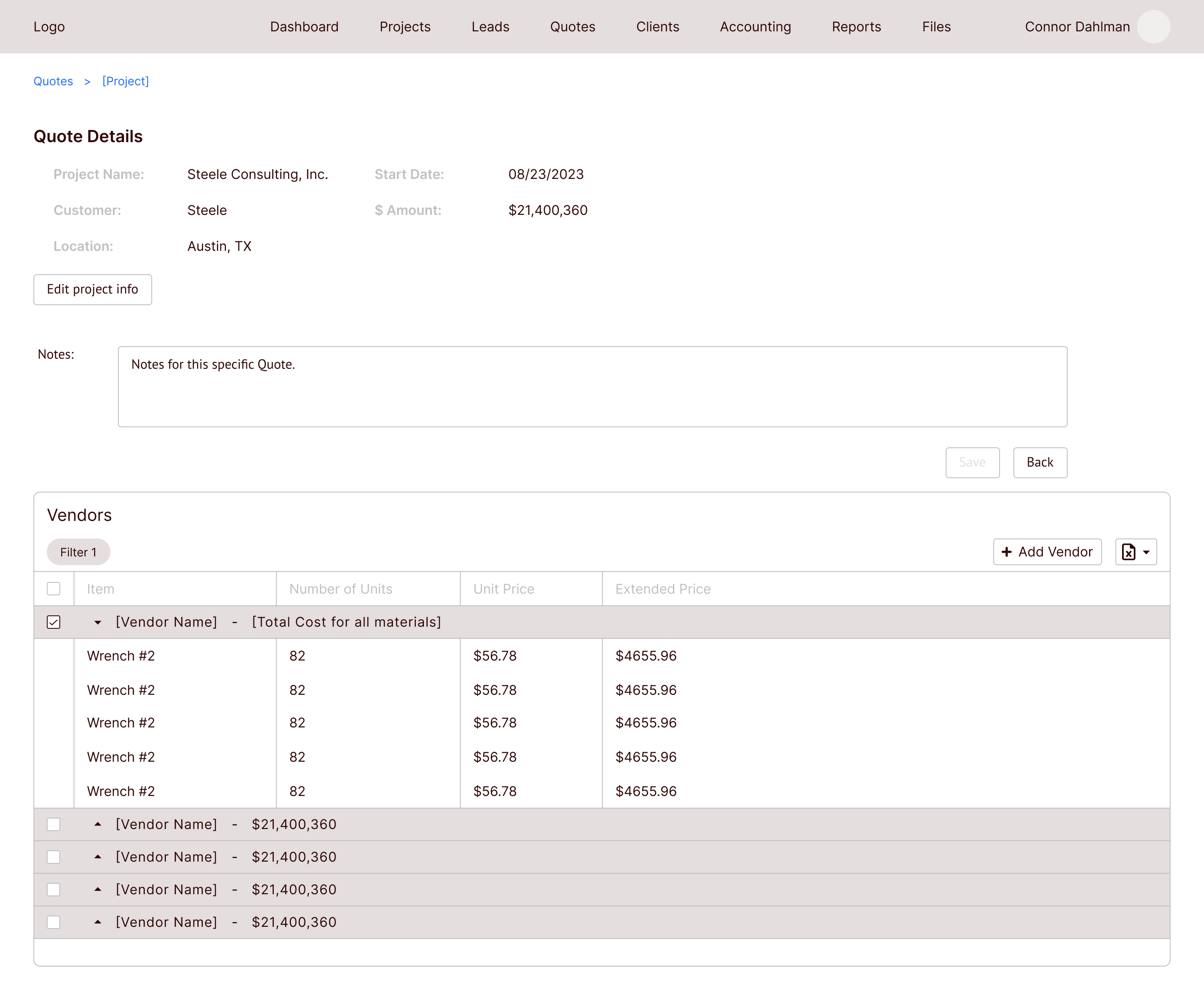
In the Quote state, Vendor information is added, which includes each vendor that will be used for this project. Each item that will be purchased from each vendor is added to the vendor table as well.
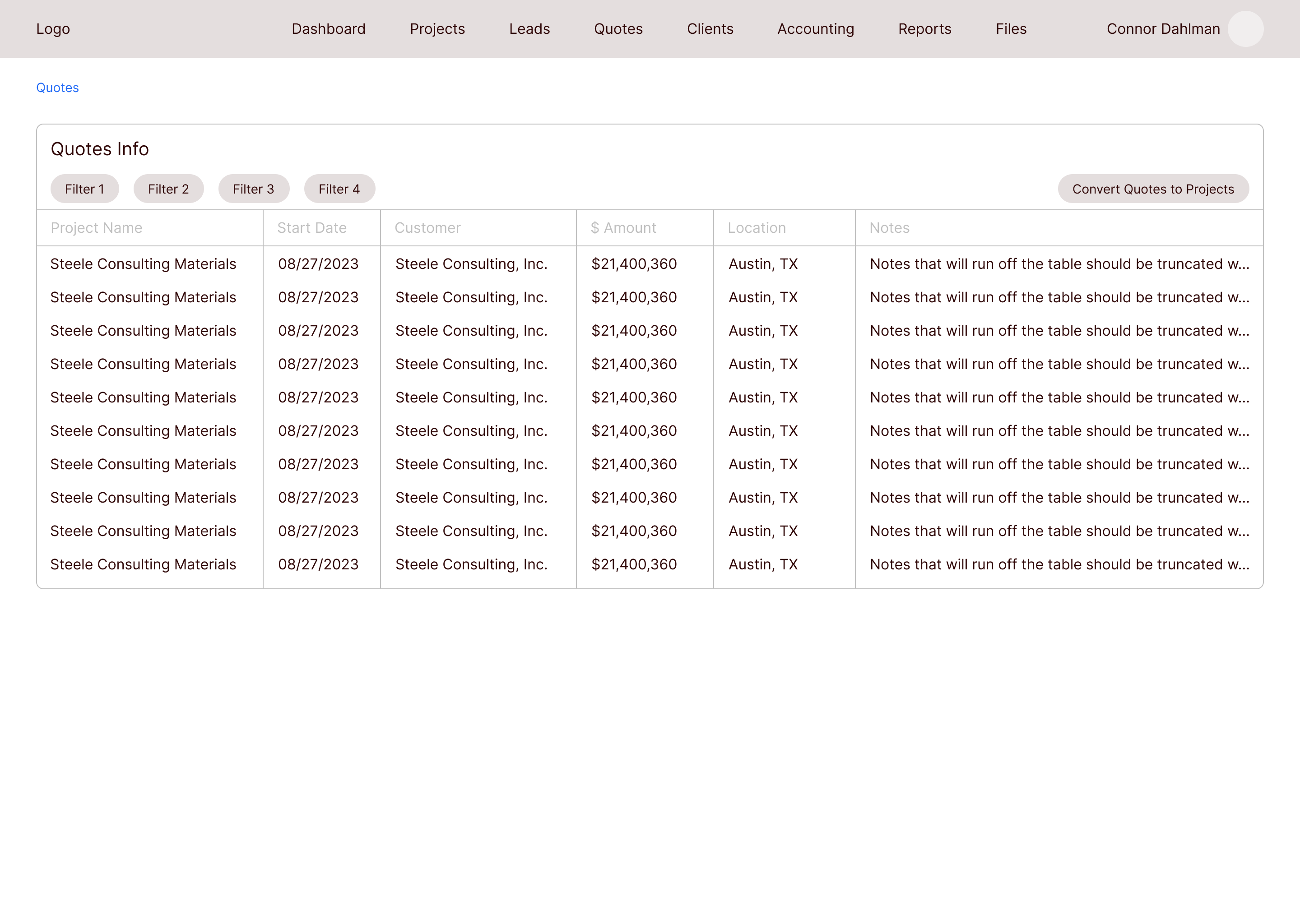
Once the project moves forward, the Quote would then be converted to a Project and more information is added.
All Quotes
Vendor information is added on this page
Projects
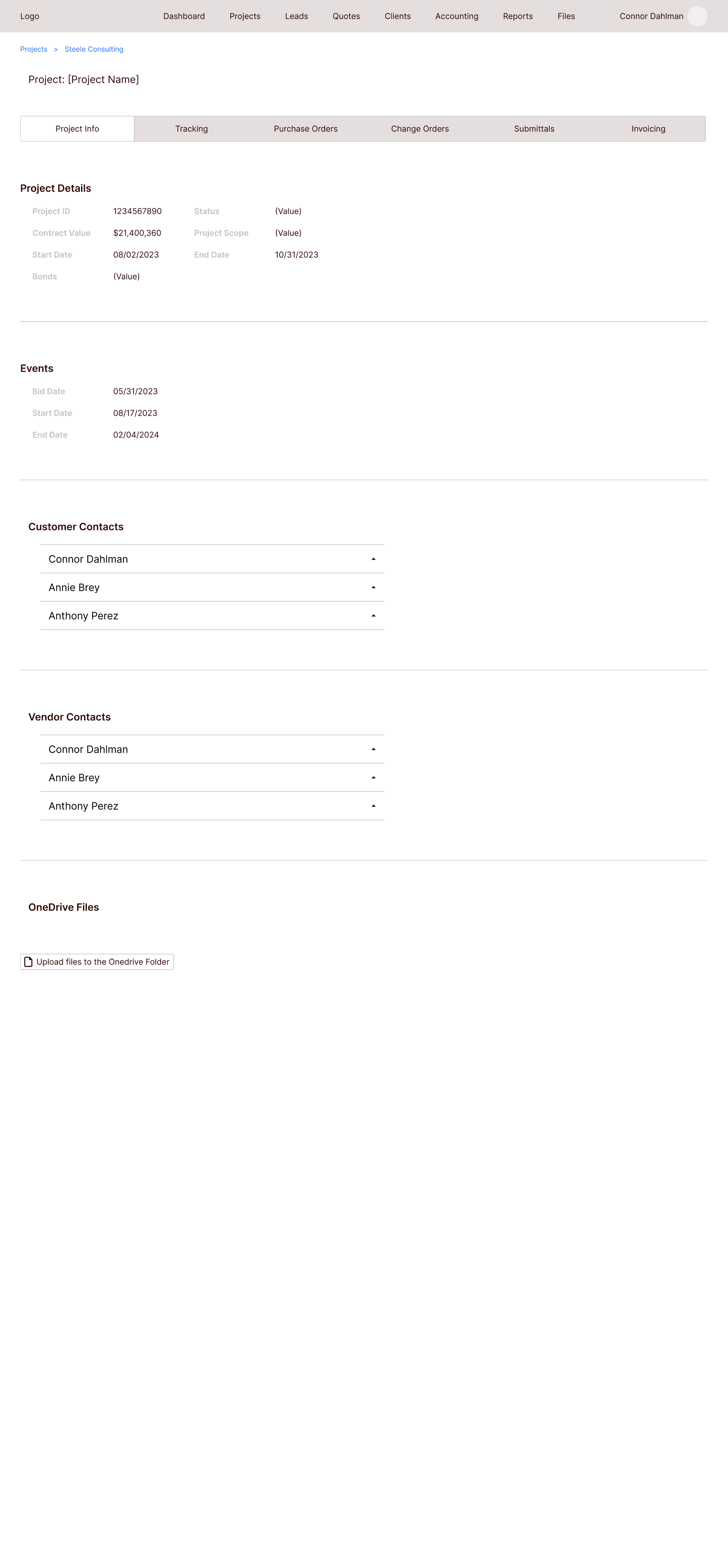
On the Projects page, lots of new information is added. There are different tabs at the top to toggle between project info, purchase orders, and invoices, among other items.
Navigating to each tab allows the users to add the necessary data once they have it.
All Projects

Project page with all extra info
The second stakeholder presentation
I presented this new design to the F&C team, and they were very happy with that I was able to pivot and change the whole design to include an actual flow.
I asked them to define many of the terms in the design so I could better understand the flow and process. They also pointed out a few areas where some information was missing, and they went through areas where they thought they would have difficulty navigating through the flow.
Navigation changes
Old nav design
The items in the first top nav were out of order according to the PO.

New nav design
I rearranged the items in the nav and removed the unnecessary pages. This new order reflects the project flow much better.

Updating the Leads, Quotes, and Projects pages
Old Leads
Clicking into a Lead on the old wireframes took you to a screen where you could edit the information. This could cause mistakes in the data if you accidentally change the info without knowing.
New Leads
Now you are required to click a button to edit the Lead information. This will prevent changing the information by accident. The act of changing the info is much more intentional.
Updating the Projects page
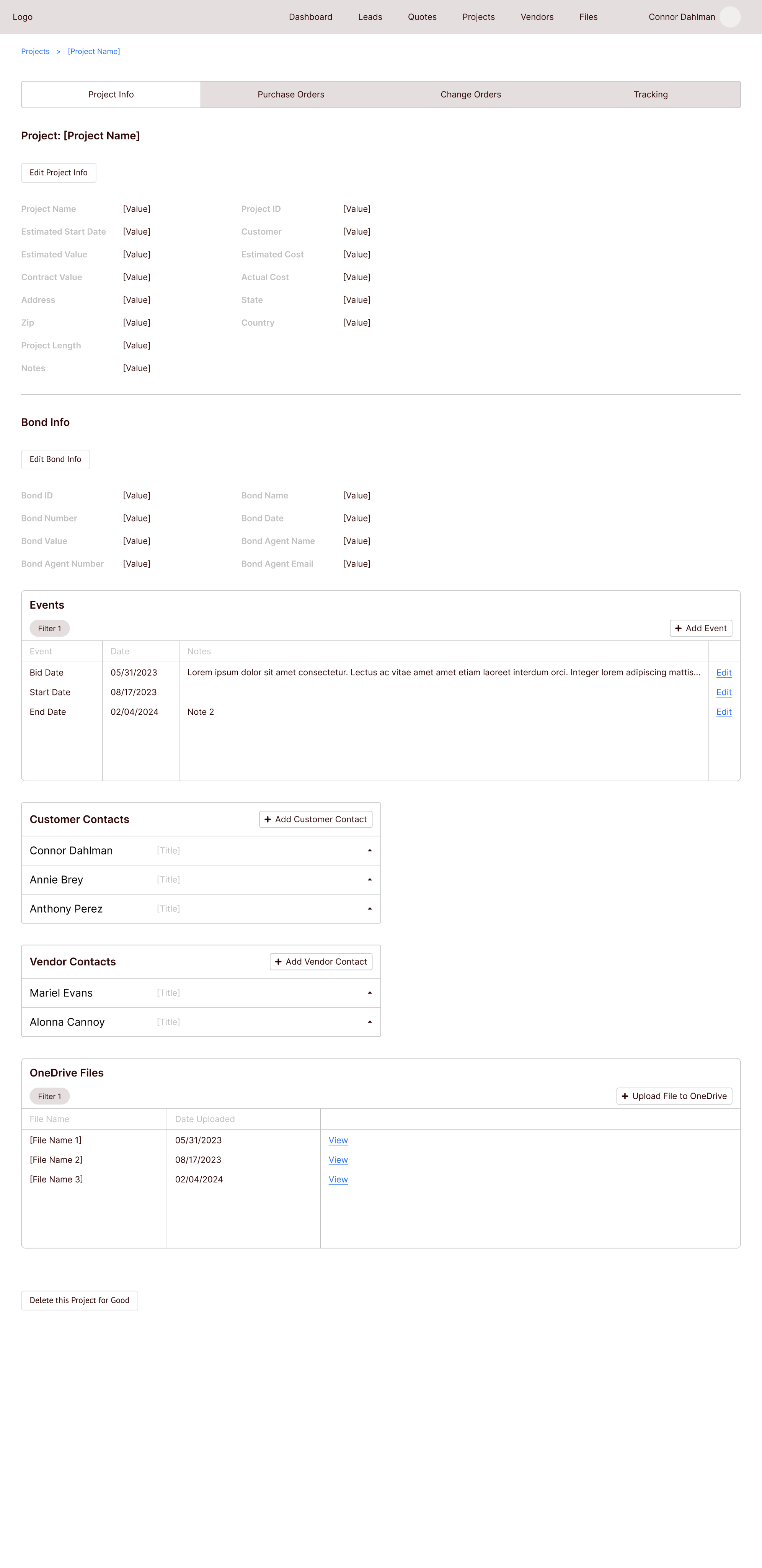
Reducing the tabs
I removed the unnecessary tabs and created new tables for each tab.
The third stakeholder presentation
After cleaning up the wireframes again, I met with the F&C team to show them the changes. They were much happier with how everything worked this time around, and I got the green light to start working on the high fidelity designs.
Check out the clickable prototype
Here is a clickable version of the high fidelity prototype I made for this project. Feel free to click through it for yourself.
(For the best experience, click the fullscreen icon at the top right of the prototype to view it larger.)
Developer handoff & conclusion
I worked with the developers throughout this project so handoff was easy. They had already been working on the backend while I was working on the designs, but now they could start on the UI elements.
The hifi design I’m showing in this case study is for phase 1 of this project. While working with the F&C team, they had a lot of great ideas that were out of scope, like integrating Microsoft Teams chat into the dashboard, or creating task lists for each employee. Ideas like these were going to be pushed back to later phases.
Shortly after development on phase 1 began, I left Steele to work at Finality. This was a fun project to work on, and I would have enjoyed designing all of the ideas for the upcoming phases.
Check out the next case study
Updating tedious workflows for a federal enterprise app
A series of UX improvements for a federal time tracking & scheduling app.
Learn more
Helping a family business track projects more efficiently
TLDR
I designed a B2B tool that allows F&C Eaton employees to track and organize their ongoing projects, track purchases and inventory, and manage client information.
The folks at F&C Eaton needed help managing their projects
F&C Eaton needed a tool where they could track their projects, purchase orders, inventory, clients, and timelines. Before, they were filling out paper forms and using excel to track everything. My team at Steele designed and developed a B2B web app that allows F&C employees to track and manage their projects, clients, and vendors.
F&C Eaton’s work process was slow, and employees were spending too much time looking through, organizing, and updating project information in Excel. This new web app vastly increases employee efficiency when tracking and updating projects.
Project page
Wireframes 1, 2, & 3
By the time I joined the project, the developers had gathered basic information from the client, and I was told they wanted a way to store projects they’ve worked on in a sort of database. I later found out they needed to track their projects through the entire project life cycle, but my first wireframes were based on the idea that they just wanted to store projects online.
I initially designed a basic table-based UI that would allow them to add and edit projects at different states in the process. I presented this version of the designs to gather feedback and take suggestions for future iterations.
Simple table that shows ongoing projects
Adding a new project
The first stakeholder presentation
After sharing the first iteration of wireframes with the F&C team, they thought a lot was missing. They were expecting there to be more of a flow. They wanted to start each project as a Lead, then convert it to a Quote, and then convert it to a Project. They also needed to be able to add new data as the project progressed.
On the Steele side, I used this opportunity to clarify many of the terms used by the F&C team. They had their own way of describing their projects and process, and they wanted that terminology used in the design.
Now, with a better understanding of the lingo, I completely changed the design by creating a flow that allows projects to move from state to state, with info that can be updated as the project moves along.
Leads
F&C Eaton starts each of their projects as a Lead, which contains information about a potential client. When that client wants to move forward with F&C’s services, the Lead is converted to a Quote by clicking the Convert this Lead to a Quote button.
All Leads
Clicking a lead allows you to edit the info
Quotes
In the Quote state, Vendor information is added, which includes each vendor that will be used for this project. Each item that will be purchased from each vendor is added to the vendor table as well.
Once the project moves forward, the Quote would then be converted to a Project and more information is added.
All Quotes
Vendor information is added on this page
Projects
On the Projects page, lots of new information is added. There are different tabs at the top to toggle between project info, purchase orders, and invoices, among other items.
Navigating to each tab allows the users to add the necessary data once they have it.
All Projects
Project page with all extra info
The second stakeholder presentation
I presented this new design to the F&C team, and they were very happy with that I was able to pivot and change the whole design to include an actual flow.
I asked them to define many of the terms in the design so I could better understand the flow and process. They also pointed out a few areas where some information was missing, and they went through areas where they thought they would have difficulty navigating through the flow.
Navigation changes
Old nav design
The items in the first top nav were out of order according to the PO.
New nav design
I rearranged the items in the nav and removed the unnecessary pages. This new order reflects the project flow much better.
Updating the Leads, Quotes, and Projects pages
Old Leads
Clicking into a Lead on the old wireframes took you to a screen where you could edit the information. This could cause mistakes in the data if you accidentally change the info without knowing.
New Leads
Now you are required to click a button to edit the Lead information. This will prevent changing the information by accident. The act of changing the info is much more intentional.
Updating the Projects page
Reducing the tabs
I removed the unnecessary tabs and created new tables for each tab.
The third stakeholder presentation
After cleaning up the wireframes again, I met with the F&C team to show them the changes. They were much happier with how everything worked this time around, and I got the green light to start working on the high fidelity designs.
Check out the clickable prototype
Here is a clickable version of the high fidelity prototype I made for this project. Feel free to click through it for yourself.
(For the best experience, click the fullscreen icon at the top right of the prototype to view it larger.)
Developer handoff & conclusion
I worked with the developers throughout this project so handoff was easy. They had already been working on the backend while I was working on the designs, but now they could start on the UI elements.
The hifi design I’m showing in this case study is for phase 1 of this project. While working with the F&C team, they had a lot of great ideas that were out of scope, like integrating Microsoft Teams chat into the dashboard, or creating task lists for each employee. Ideas like these were going to be pushed back to later phases.
Shortly after development on phase 1 began, I left Steele to work at Finality. This was a fun project to work on, and I would have enjoyed designing all of the ideas for the upcoming phases.
Check out the next case study
Updating tedious workflows for a federal enterprise app
A series of UX improvements for a federal time tracking & scheduling app.
Learn more